Postingan

Menampilkan postingan dengan label Whatsapp

How To Activate Uba, Zenith And Access Bank Whatsapp Banking Service

Gambar
In a clever attempt to make financial transactions easier for customers, a number of banks have decided to use the popular WhatsApp platform to provide self services for sending funds and bills payments. First Bank and GTbank are expected to make their banking services available on WhatsApp before the end of this month, while UBA has earlier introduced its chat-bot called (on Facebook and WhatsApp) in a similar bid to take banking transactions to another level of convenience. Access Bank WhatsApp Banking Now, Access Bank is the latest to launch it’s own WhatsApp digital banking service. Using this platform, you can now open accounts, check balance and also request for BVN. How to Use To start using Access Bank on WhatsApp simply add +2349090901901 as a contact on your phone and save it with “Access WhatsApp Banking”. Now send “Hi” to this contact via WhatsApp message to activate the service. Be sure to use the number that you registered the account with to send the message. O...
Are You Tired Of Forwarded Messages? Check This Whatsapp Update

Gambar
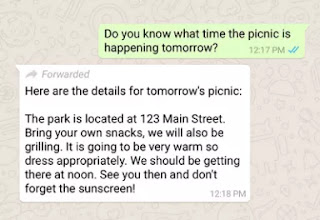
Whatsapp is at it again! There is another update for the most popular messaging app in the world. This latest update brings a new feature that will allow users to know what messages were forwarded as they receive them. In this update, when you receive a forwarded message a “forwarded” label is seen before the body of the message itself. This would help you to know whether the sender of the message actually wrote the message or not. This update by Whatsapp is also an attempt to fight the spread of fake news which is very common on the messaging platform. Along with the update, Whatsapp also encouraged its users to think before sharing information that they know might not be true. To get this update, simply visit the Google Play Store or Apple App Store to download.

Whatsapp Ready To Block These Links – Don't Try To Post Them

Gambar
Just few days after Whatsapp introduced an update where you can re-download deleted media , the popular instant messenger is back again with another update. This new update has to do with users security, and it's known as “Suspicious Link Detection.” Although not everyone has access to this new feature yet, work is been put in place as the update is slowly rolling out. Lately, there have been so many phishing activities on WhatsApp and some contacts sending unending messages advertising fake free internet data packs. Well, this suspicious link detection feature will notify users if a webpage URL sent to them is shady. WhatsApp analyzes the links that to check if they are genuine. If they're spammy or in any way suspicious, it alerts you by marking the link with a red label. For the last time, users that proceed to click on the link are alerted again by WhatsApp to remind them that the link is not safe. This feature is already on Facebook for a number of years, and it has...

How To Restrict Members From Sending Messages In Your Whatsapp Group

Gambar
WhatsApp has once again launched a new feature dubbed Send Message , which is mostly beneficial to group owners on the platform. This new option is slowly rolling out and will enable WhatsApp Group admins to regulate the power of members to send messages in the specific group. In simple terms, with this new Send Message option in WhatsApp Group settings , you can choose who can share text or multimedia files in your group, and who cannot. When you set “only Admins” for this option, all other members won't be able to send text messages, images, videos, voice recordings e.t.c., to the group. The latest send messages features will sit above Edit Group info option in your WhatsApp Group setting. The latter gives group admins the power to restrict ordinary members from editing or rewriting the group description, subject or icon. Meanwhile, the WhatsApp Send Message group setting option will be available even if there are multiple administrators in the group, or just one. Furt...